
Switching
0sec
Change content without stopping
A traditional label printer needs the whole batch set up on a computer before it will start. Taizihao lets the line tear one, print one — no pre-scheduling, no waiting, no waste.
On a line that changes quickly, labels are the weakest link. Pre-printed stock expires, outsourced printing takes too long, and a mislabelled batch means a claim — each one hits shipments and margin directly. Taizihao was built for exactly these problems.
Stockpiles take space and expire or get mixed up; the old batch code is still on the shelf when the new spec arrives.
Taizihao · Tear one, print oneMany part numbers and label types make them hard to control, and finding the right one wastes time, with a real risk of picking and applying the wrong label.
Taizihao · One blank label, one materialSlow, and you cannot wait: a content change means days of back-and-forth, and an urgent switch leaves you stuck.
Taizihao · Built in, prints on the spotTight cycle times and no room to stop the line: labels have to print in step with production, and a second of delay blocks the line.
Taizihao · Print onlineTwenty-plus machines each doing their own thing: templates out of sync, versions that do not match, and updating across sites means walking the floor all day.
Taizihao · Central managementOnce a mislabelled product ships, the whole batch comes back and the customer claims — far more costly than a few labels.
Taizihao · Smart Detect as the safety netTaizihao is not a standalone label printer — it is a complete industrial printing system spanning hardware inspection, fleet management, line automation and intelligent software. Every capability was designed around a real problem on the floor.
The camera checks each label as soon as it finishes printing — a wrong label raises the alarm in one second.
See details →100+ machines on one screen — shared templates, central upgrades.
See details →Feed → print → inspect → apply → discharge, unattended from end to end.
See details →Five groups of capability — design, printing, inspection, traceability and templates — every one proven on a factory floor.
See details →Inspected right after printing, the wrong label is stopped inside the machine.
As each label finishes printing, the built-in camera checks its content. On a fault it raises an audible and visual alarm within one second and stops the label there — this is where Taizihao has invested most. It is the key difference.
The print head and camera sit in the same body, so no external vision module is required. Every label is compared by the camera the moment it finishes printing.
A fault stops the machine and triggers a buzzer and red light. The Line in-line model halts automatically to intercept the label; the Solo desktop model raises an audible and visual alarm within a second.
Black and white lines, overprinting, text past the frame, damage and staining — the label faults a factory actually sees, filtered out in one pass.
No training samples, no parameter tuning — inspection works from the moment it is installed.

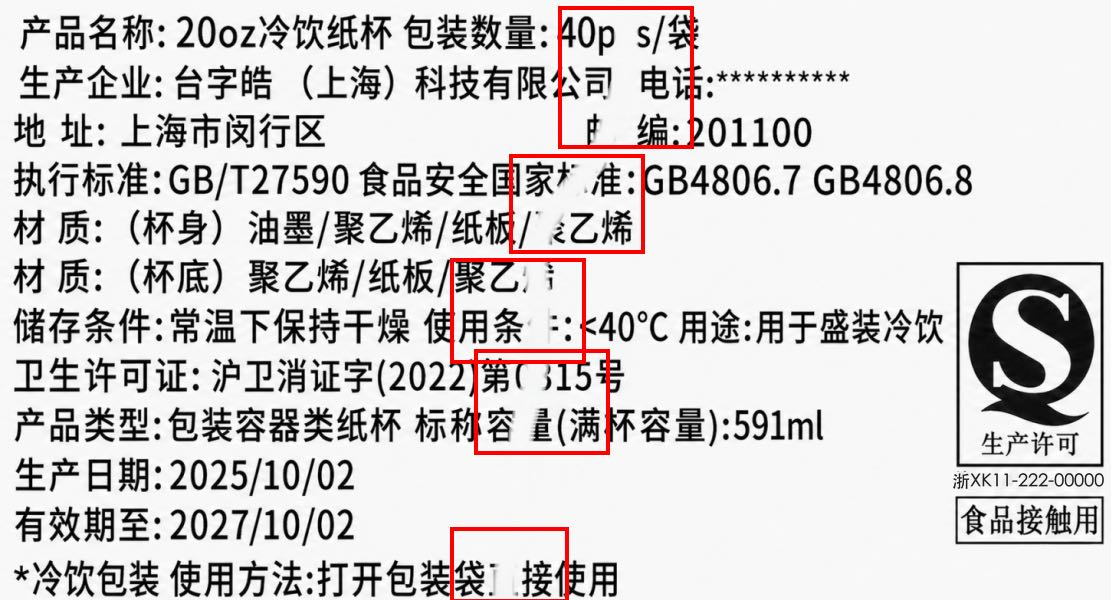
A creased ribbon leaves black or white lines in the print — the system spots it and stops immediately.
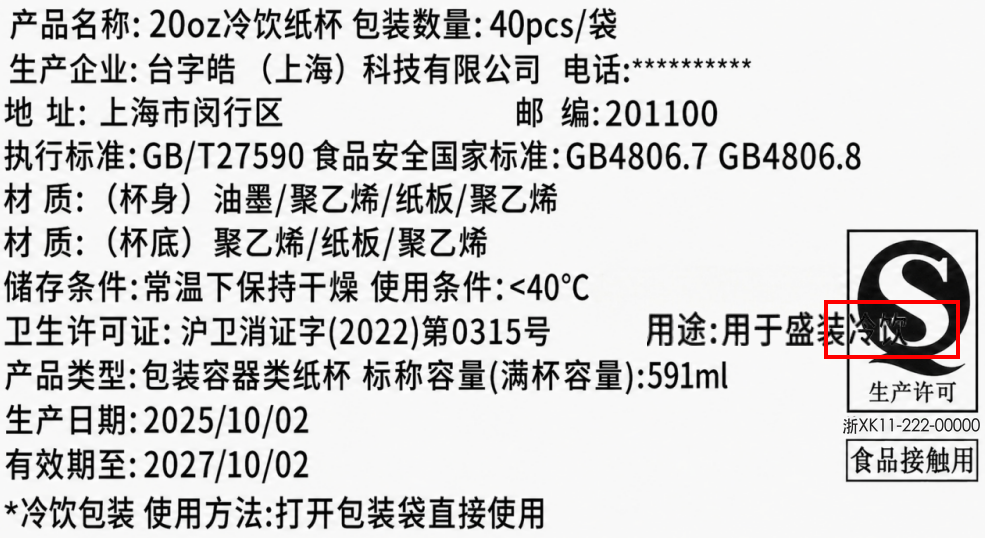
A pre-printed icon covered by edited text — overprinting is caught at once, protecting compliance marks.
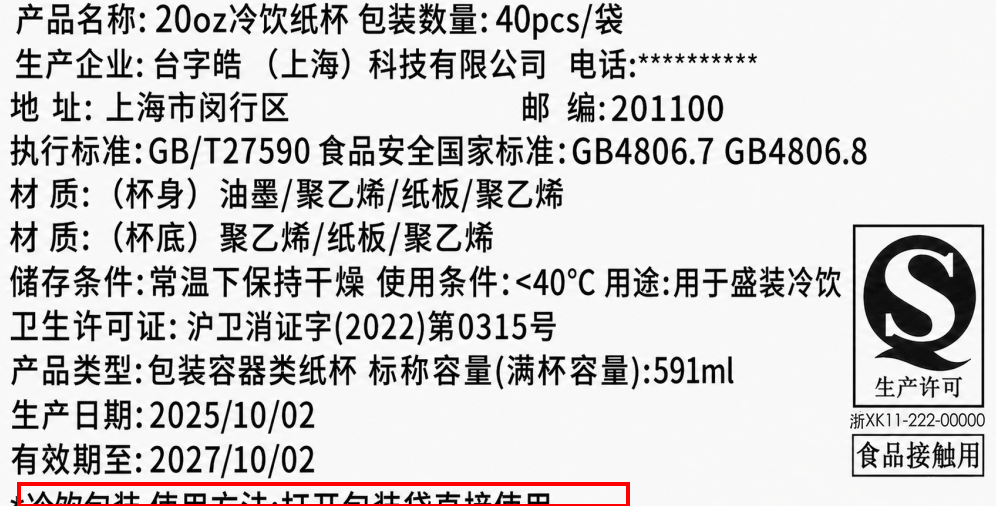
Text past the frame, skewed or shifted — a layout fault is stopped on the spot.
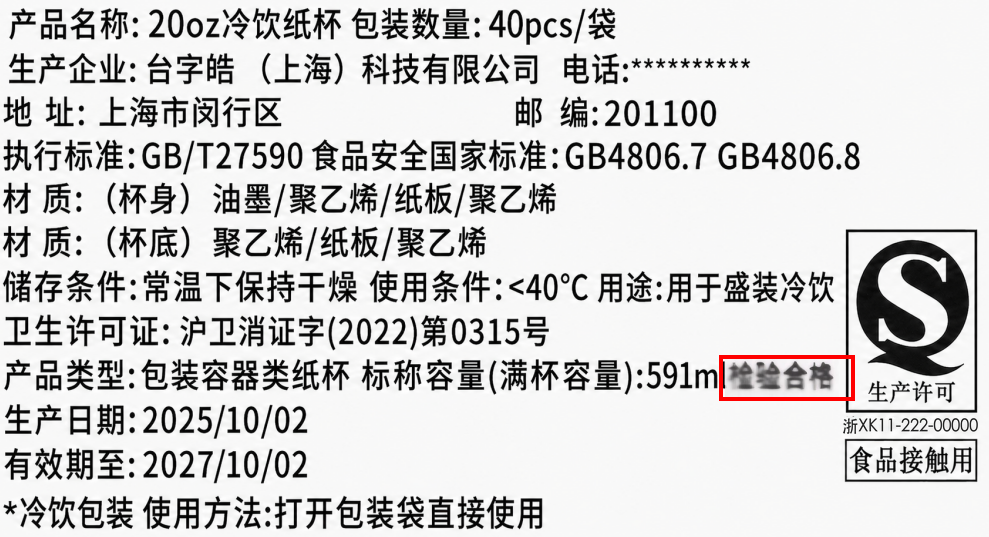
Missing strokes, broken pins, scratches, smears and stains that affect key text or data are judged as failures and raise the alarm immediately; anything that does not affect the text or data is not flagged.
One screen, every printer in the plant.
Ten machines, or N+1 — you see the state of all of them. Manage every unit from one screen, with shared templates and central upgrades that need no visit to each machine.
Every printer reports online / printing / fault / offline in real time, colour-coded so you can read the whole plant at a glance.
Edit the template on the master console and push it to each machine on the line — no more copying files around on a USB stick.
Settings pushed centrally, status monitored live, board logs viewed from one place — all over the local network, with no need to visit each machine.
Every print and queued job is logged automatically (time, machine, operator, template) and exports to Excel in one click; inspection images can be looked up by date.

Built into the line, a full shift unattended.
Taizihao Line sits inside your automated production line: feed → print → inspect → apply → discharge, all automatic. One person per shift is enough to keep an eye on it.
Feed → print → inspect → apply → discharge: each station hands off to the next automatically, with no operator involvement.
Connects to the line equipment, reads the packing or trigger signal live, and switches between two templates automatically with no operator input.
Set the job in advance and it runs the whole shift; one person spot-checking is enough, so the night shift no longer needs a dedicated operator.
A fault or a break in supply stops the machine and raises the alarm, so a wrong label never reaches the next step.

The software does a great deal, but we have put the most into five areas — Smart Detect inspection, print modes for every scenario, automatic layout, dynamic batch fields, and a tamper-evident operation log. Each one answers a real problem on the factory floor.

On single prints, the built-in camera compares the fixed content of the label with what actually printed. On a fault it gives a red light, a buzzer, and a red box around the spot on screen — one of the areas Taizihao has invested in most.
Some systems do not inspect during printing at all, leaving a human to double-check, so a wrong or missing label is easy to miss.

Tear one and print one on the floor, a hundred at a click from the office. Single mode also lets you queue the next template — the day shift sets it up in advance, and one press of the button on the right side of the machine switches over, covering shift handovers and every production pattern.
Some systems offer only one print mode, which struggles with shift handovers and mixed production.

Text fits the label size as you type, so content never runs past the edge; after changing the font size, one click tidies the whole label. Noticeably fewer wasted labels.
Some systems need font size and position adjusted by hand over and over; a moment of inattention and the content overflows. It takes time.

Turn selected text or a date into a batch variable in one click and generate the Excel template automatically. Dates can be generated live, with an offset in years, months, days, hours or minutes.
Some systems make you create the field in a back office, bind a data source and step through several screens; dynamic dates often need parameters or a script.

Print and queue records are written to the printer board with a content-verification signature; if a record is deleted or altered it can be detected, which makes later audits straightforward.
Some systems keep the log locally, where it can be edited or deleted, leaving little to rely on when something goes wrong.
Open the software and it finds your printers automatically — no IP or port setup.
See the state and template of every machine from the office, without walking the floor.
Daily and monthly reject counts totalled automatically, traceable in one click.
A faulty label is marked with a red box at the problem, so the operator can deal with it quickly.
Double-click a table cell and type; it aligns itself, no text box required.
Insert a QR code or barcode directly — no plug-in needed.
Batch templates are saved to a default folder and recalled in one click.
On sending, the software prompts you to confirm the template name and files it — no need to save it beforehand.
Smart Detect checks every label and central management covers the whole plant — a single machine unlocks all of it.